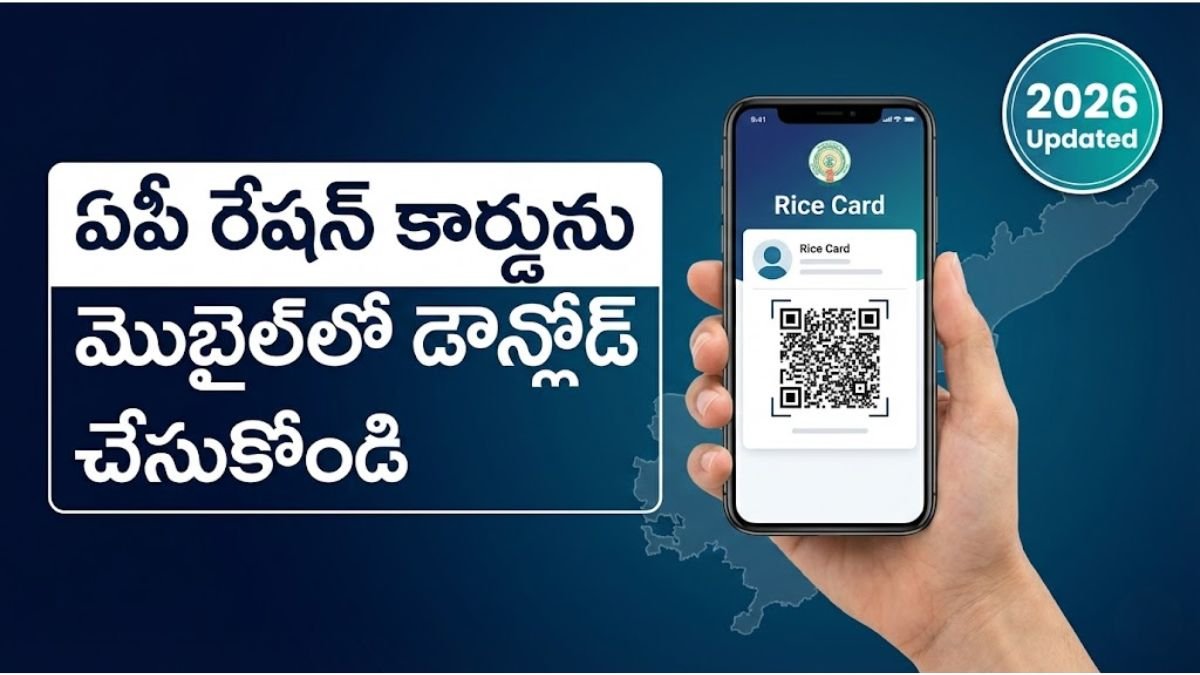
AP Ration Card Download process: Step-by-Step PDF Guide
Downloading your AP Ration Card (now primarily referred to as the Rice Card) in 2026 is a straightforward digital process. You can obtain a valid digital copy through DigiLocker, the official AePDS portal, or your local secretariat.
Method 1: Using DigiLocker (Best for Official Digital Copy)
DigiLocker provides a legally valid digital version of your Rice Card that can be used for all government purposes.
- Login/Register: Open the DigiLocker app or visit digilocker.gov.in. Log in using your mobile number and Aadhaar.
- Search Document: Go to the “Search Documents” section.
- Select Department: Type and select “Food and Civil Supplies Department, Andhra Pradesh.”
- Choose Document: Click on “Ration Card.”
- Enter Details: Provide your Rice Card Number and select your District.
- Download: Click “Get Document.” Your card will be fetched and saved in the “Issued Documents” section as a PDF.
Method 2: Using the AePDS Portal (Check & Print Details)
This method is useful if you need to verify your family member details and e-KYC status along with your card information.
- Official Site: Visit the AePDS Andhra Pradesh Portal.
- RC Details: On the homepage, look for the “RC Details” or “Beneficiary Details” option.
- Enter ID: Input your 12-digit Rice Card Number or your Aadhaar Number.
- View Status: Once you click “Submit,” your family details, commodity entitlement, and e-KYC status will appear.
- Print: You can use the browser’s print option (
Ctrl + P) to save the page as a PDF or print it directly.
Method 3: Village/Ward Secretariat
If you are unable to download it online due to technical issues:
- Visit your Village or Ward Secretariat.
- Request the Digital Assistant to provide a printout of your Digital Rice Card.
- They will verify your Aadhaar and provide a copy immediately.
Key Points for 2026
- e-KYC Mandatory: Ensure all family members have completed biometric e-KYC. If e-KYC is pending, the card might not be available for download or rice distribution.
- Aadhaar Linking: Your mobile number must be linked to your Aadhaar to receive OTPs for DigiLocker and other portals.
- Validity: The digital e-Ration card is considered equal to the physical card as per the IT Act.
AP Ration Card Download process – Frequently Asked Questions (FAQs)
Can I download my AP Rice Card using only my Aadhaar number?
Yes. You can use your Aadhaar number to first find your Rice Card ID on the AePDS portal under the “RC Details” section. Once you have the ID, you can download the official digital certificate through the DigiLocker app or website by authenticating with your Aadhaar-linked mobile number.
Is the downloaded digital Rice Card as valid as the physical card?
Absolutely. The digital Rice Card downloaded from DigiLocker or the official AP Government portals carries a digital signature or QR code. Under the IT Act, these digital documents are legally valid and must be accepted by Ration Shop dealers and for all government schemes.
Why am I unable to find my Ration Card in the DigiLocker app?
This usually happens if your Aadhaar name does not match the name on your Ration Card records, or if your card has been recently updated. Ensure you are selecting “Andhra Pradesh” and “Civil Supplies Department” correctly in the app. If the issue persists, verify your seeding status at your local Secretariat.
Is there a fee for downloading the AP Ration Card online?
No, downloading your digital Rice Card through the official AePDS portal or DigiLocker is completely free of cost. However, if you visit a MeeSeva center or a private internet café for a color printout or PVC card, they may charge a nominal service fee.
What should I do if the photo on my downloaded Rice Card is incorrect?
If the digital copy shows an incorrect photo or missing member details, you need to visit your Village/Ward Secretariat. You can request a “Photo Update” or “Correction of Member Details.” Once approved by the Tahsildar, the updated digital card will be available for download within 7-10 days.
How do I download the Rice Card if I don’t have a smartphone?
If you don’t have a smartphone, you can visit your Village/Ward Secretariat and ask the Digital Assistant. They can access the government database, download your digital card, and provide you with a printed copy for a small stationery fee.
ఏపీ కొత్త రేషన్ కార్డ్ డౌన్లోడ్ 2026: ఆన్లైన్లో పొందే విధానం (Step-by-Step)
ఆంధ్రప్రదేశ్లో 2026 నాటికి రేషన్ కార్డు (రైస్ కార్డ్) డౌన్లోడ్ చేసుకునే విధానం మరింత సులభతరం చేయబడింది. మీరు మీ మొబైల్లోనే అధికారిక డిజిటల్ కాపీని పొందవచ్చు.
ఏపీ రేషన్ కార్డ్ డౌన్లోడ్ చేసే పద్ధతులు
పద్ధతి 1: డిజిలాకర్ (DigiLocker) ద్వారా – అధికారిక పద్ధతి
ప్రభుత్వ నిబంధనల ప్రకారం డిజిలాకర్లో ఉన్న రేషన్ కార్డ్ అన్ని రకాల అవసరాలకు చెల్లుబాటు అవుతుంది.
- లాగిన్ అవ్వండి: DigiLocker వెబ్సైట్ లేదా యాప్లో మీ ఆధార్ నంబర్ మరియు OTPతో లాగిన్ అవ్వండి.
- సెర్చ్ చేయండి: “Search Documents” లోకి వెళ్లి “Food and Civil Supplies Department, Andhra Pradesh” అని టైప్ చేయండి.
- కార్డు ఎంచుకోండి: అందులో ఉన్న “Ration Card” ఆప్షన్ను ఎంచుకోండి.
- వివరాలు ఇవ్వండి: మీ రైస్ కార్డ్ నంబర్ మరియు జిల్లా పేరు ఎంటర్ చేయండి.
- డౌన్లోడ్: “Get Document” పై క్లిక్ చేయగానే మీ కార్డు PDF రూపంలో వస్తుంది. దీనిని మీరు ఎప్పుడైనా ప్రింట్ తీసుకోవచ్చు.
పద్ధతి 2: AePDS పోర్టల్ ద్వారా (వివరాల వెరిఫికేషన్)
మీ కార్డు స్టేటస్ మరియు కుటుంబ సభ్యుల వివరాలను చూడటానికి ఇది ఉపయోగపడుతుంది.
- వెబ్సైట్: AePDS AP వెబ్సైట్ సందర్శించండి.
- RC Details: మెనూలో “RC Details” పై క్లిక్ చేయండి.
- సెర్చ్: మీ రైస్ కార్డ్ నంబర్ లేదా ఆధార్ నంబర్ ఎంటర్ చేసి సబ్మిట్ చేయండి.
- ఇక్కడ మీ కార్డు వివరాలు కనిపిస్తాయి, వీటిని స్క్రీన్ షాట్ లేదా ప్రింట్ తీసుకోవచ్చు.
పద్ధతి 3: స్మార్ట్ రేషన్ కార్డులు (Smart Cards)
2026 నుండి ఏపీ ప్రభుత్వం కొత్తగా ఏటీఎం తరహాలో ఉండే స్మార్ట్ రేషన్ కార్డులను పంపిణీ చేస్తోంది.
- మీరు ఇప్పటికే ఉన్న కార్డును స్మార్ట్ కార్డుగా మార్చుకోవడానికి మీ దగ్గరలోని గ్రామ/వార్డు సచివాలయాన్ని సంప్రదించవచ్చు.
- సచివాలయం డిజిటల్ అసిస్టెంట్ మీ వివరాలను వెరిఫై చేసి, కొత్త స్మార్ట్ కార్డును అందజేస్తారు.
WhatsApp Share Caption
🌾 మీ ఏపీ రేషన్ కార్డును మొబైల్లోనే డౌన్లోడ్ చేసుకోండి! 💳
2026 కొత్త నిబంధనల ప్రకారం డిజిటల్ రైస్ కార్డ్ మరియు స్మార్ట్ కార్డును ఎలా పొందాలో పూర్తి వివరాలు ఇక్కడ ఉన్నాయి: 👇
✅ డిజిలాకర్ ద్వారా PDF డౌన్లోడ్ ✅ ఆధార్తో కార్డు స్టేటస్ చెక్ ✅ కొత్త స్మార్ట్ కార్డు పొందే విధానం
పూర్తి గైడ్ కోసం ఇక్కడ క్లిక్ చేయండి: 👉 https://aepdsap.com/ap-ration-card-download-process-telugu/
📌 గమనిక: రేషన్ సరుకులు పొందేందుకు కుటుంబ సభ్యులందరికీ e-KYC తప్పనిసరి. వివరాల కోసం మీ వాలంటీర్ను సంప్రదించండి.

Tags: AP Ration Card Download 2026, Download AP Rice Card PDF, Digital Ration Card AP, DigiLocker AP Ration Card, Download Rice Card by Aadhaar Number, AePDS Rice Card Download, AP Food Security Card Download, e-Ration Card AP, AP Rice Card Print Online, Secretariat Rice Card Download, MeeSeva Ration Card Download, AP Govt Digital Cards 2026, ఏపీ రేషన్ కార్డ్ డౌన్లోడ్ 2026, రైస్ కార్డ్ పీడీఎఫ్ డౌన్లోడ్, ఆన్లైన్ రేషన్ కార్డ్ ప్రింట్.
AP Ration Card Download process, AP Ration Card Download process, AP Ration Card Download process, AP Ration Card Download process